Image Fingerprint · perceptual hashing for Node and browsers
Match the image, not the bytes.
Turn JPG, PNG, and WebP files into compact visual fingerprints. A resized or recompressed card scan can still point back to the same image.
Open source · Node + browser adapters · versioned fingerprints
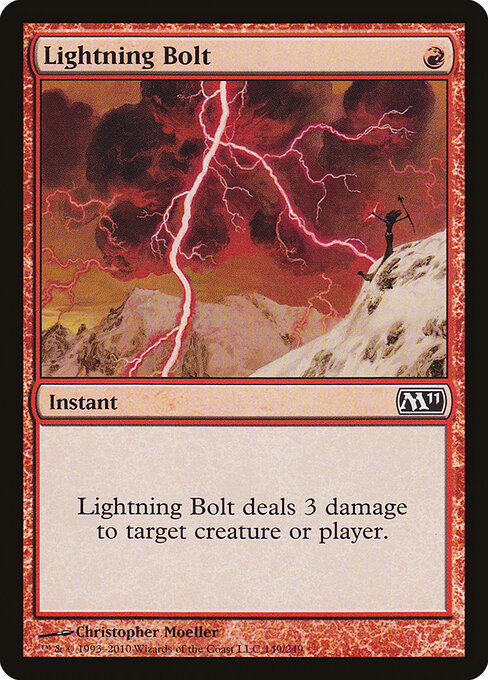
A fingerprint for how an image looks.
A cryptographic hash asks whether two files are byte-for-byte identical. A perceptual hash asks whether their visual structure is similar.
That makes Image Fingerprint useful at the fuzzy edge of an ingest pipeline: find likely matches first, then verify them with your own metadata and rules.
See one card survive ordinary image changes.
Choose a scan, change its pixels, and watch the 256-bit fingerprint respond. Everything runs locally in this browser.
3. Read the comparison
Calculating…
The score will update when both hashes are ready.
— of 256 bits differ · similarity = unchanged bits ÷ 256
This percentage is a teaching aid, not a universal duplicate threshold. Calibrate a distance cutoff against your own card photos.
What changed inside the hash?
Each square is one bit. Blue squares mark positions that flipped after the transform.
Show raw hashes
- source
—- result
—
The weird part, in three moves.
The hash is not a miniature image and it does not understand a card’s name. It preserves coarse light-and-dark relationships that tend to survive ordinary file changes.
- 1.0
Normalize the pixels.
Decode the file, fit it to a consistent canvas, and divide that image into a 16 × 16 grid.
- 2.0
Turn brightness into bits.
Each block is compared with nearby blocks. Light and dark relationships become a 256-bit fingerprint.
- 3.0
Count what changed.
Hamming distance counts differing bits. Fewer changed cells means the images are more visually alike.
Use it for candidate matching, not proof.
Perceptual distance is one useful signal. Keep the rest of your identification pipeline.
Good fit
- Finding near-duplicate card scans during catalog ingestion
- Grouping recompressed, resized, or mildly colour-shifted images
- Reducing a large comparison set before costlier verification
- Building a visual cache key alongside canonical metadata
Know the limits
- It is not cryptographic and cannot prove file integrity or identity
- Heavy crops, rotation, glare, occlusion, and border changes can increase distance
- Different printings of the same named card may look intentionally different
- Thresholds depend on your images; test false matches and misses before shipping
The API stays small.
Pass a local path, file URL, encoded bytes, or decoded pixels. Choose an algorithm and receive a versioned fingerprint record you can compare or persist.
Read the full README →import { fingerprintImage } from
'image-fingerprint/node';
const fingerprint = await fingerprintImage(
'./scan.jpg',
{
algorithm: 'blockhash-v1',
bitsPerSide: 16,
method: 2,
},
);
console.log(fingerprint.hash);npm i image-fingerprint
Try it against the images that actually fail your pipeline.
The playground explains the signal. Your own duplicate set tells you whether the signal is useful.
Open the playground